
Color & Branding
Genesis 1:31
“God saw all that He had made, and it was very good.”

Lesson: How Color Creates a Yearbook's Identity
Have you ever noticed how certain colors remind you of a company, sports team, or holiday? That is because colors communicate messages and create feelings.
In yearbook design, colors help tell the story of the school year. Choosing the right colors makes your yearbook look organized, professional, and memorable.
Just as YAH created a world filled with beautiful colors and intentional design, we can use creativity to make something beautiful and meaningful.
1. What Is Color Psychology?
Color psychology is the study of how colors can influence emotions, thoughts, and perceptions.
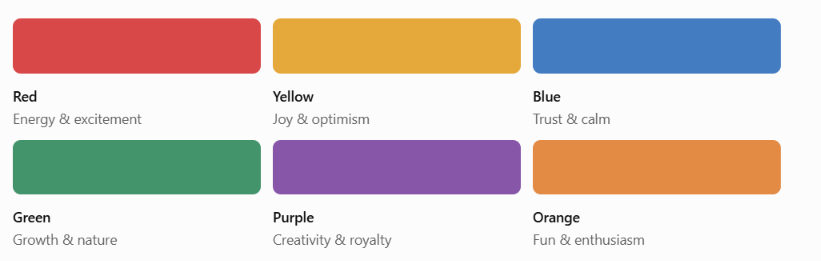
These are common color associations, but meanings can change depending on culture and context.
Discussion: If your yearbook theme is "A Year to Remember," which colors would you choose? Why?
2. What Is Branding?
Branding is the visual identity that makes something recognizable.
A yearbook's branding includes:
-
Colors: The main colors used throughout the book.
-
Fonts: The typography used for titles and paragraphs.
-
Graphics: Shapes, patterns, and decorative elements.
-
Theme: The overall message connecting every page.
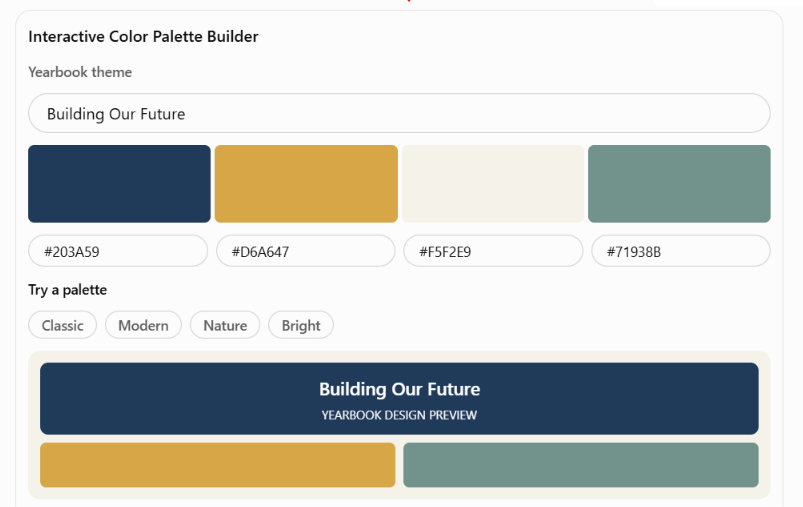
Example: If your yearbook theme is "Building Our Future," you might use navy blue, gold, and white throughout the book to create a consistent look.
3. Why Does Color Consistency Matter?
Imagine opening a yearbook where every page uses completely different colors, fonts, and designs. It might feel confusing!
Consistent colors help readers recognize the theme and make different pages feel like they belong in the same book.
A simple rule is 60-30-10:

This is a helpful starting point, not a strict rule. Always make sure text is easy to read against its background.
In-Class Activity: Build Your Yearbook Color Palette
Your challenge is to create a color palette that matches your yearbook theme.
Example:
Student Instructions:
-
Review your yearbook theme.
-
Choose three or four colors that represent your theme. https://coolors.co
-
Decide which color will be your main, secondary, and accent color.
-
Write down the color codes (HEX codes).
-
Explain to the class why you chose those colors.
Decide colors as a class.
5. Apply Your Colors in TreeRing
Open your yearbook project in TreeRing.
Pay attention to backgrounds, headings, borders, and decorative elements.
Remember that photographs should remain the focus of your pages. Your colors should support the photographs, not distract from them.